XRechnung and ZUGFeRD e-invoices, free and open source
Every business in Germany has had to accept e-invoices since 2025, and the duty to send them starts in 2027. Inkvoice creates both formats from your normal invoices and attaches them to the email. Every change to its e-invoice code is checked with the official KoSIT validator.
Inkvoice 0.3.7 and later · Inkvoice Cloud · Diese Seite auf Deutsch
What applies when
- Since 1 January 2025
Every business in Germany must be able to receive e-invoices. There is no transition period for receiving, Kleinunternehmer included.
- From 1 January 2027
You must send e-invoices to business customers in Germany if your total turnover in 2026 was above €800,000.
- From 1 January 2028
Everyone else follows. Until then, paper invoices stay allowed, and a PDF too if your customer agrees.
No e-invoice needed for invoices up to €250 in total (§ 33 UStDV), invoices from Kleinunternehmer (§ 34a UStDV), tickets (§ 34 UStDV), and invoices to consumers or to customers not based in Germany (§ 14 Abs. 2 UStG).
A short summary, not tax advice. Sources are listed at the end of the page.
XRechnung or ZUGFeRD? Inkvoice makes both.
ZUGFeRD
A PDF your customer can read, with the XML invoice inside it (PDF/A-3, profile EN 16931).
The default for business customers.
XRechnung 3.0
Plain XML in the XRechnung standard (UBL), which many public authorities ask for.
Customers with a Leitweg-ID get an XRechnung automatically.
Both follow the European standard EN 16931 that § 14 UStG refers to. ZUGFeRD counts as an e-invoice from version 2.0.1, except the profiles MINIMUM and BASIC-WL; Inkvoice uses the profile EN 16931.
Checked with the official validator
On every change to the e-invoice code, Inkvoice builds 27 sample invoices (19 %, 7 %, discount, reverse charge, credit note, Kleinunternehmer, Leitweg-ID, zero rated, exempt, export, not subject to VAT, intra-EU supply of goods, service date and period) and checks them automatically: with the KoSIT validator and the XRechnung configuration 3.0.2, and with Mustang for the PDF/A-3 file.
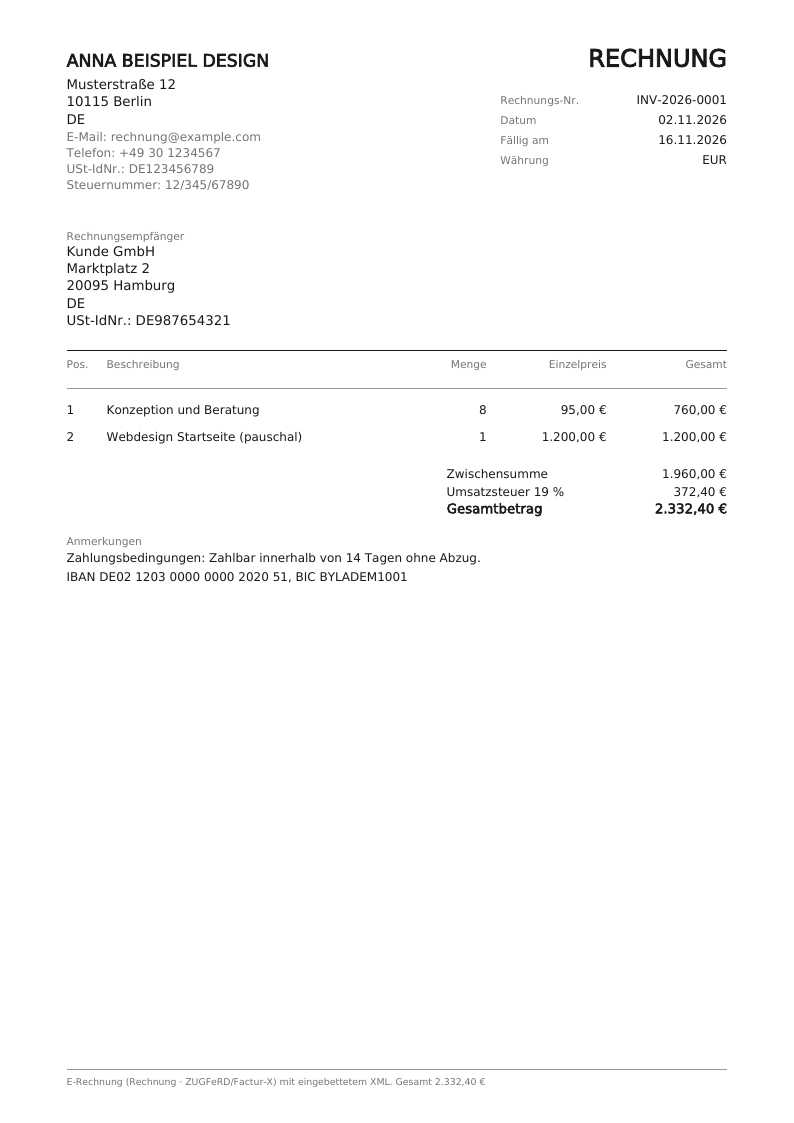
The cases a small business actually has
19 % and 7 %
Several VAT rates on one invoice, each with its own VAT breakdown.
Discounts
A discount lowers the VAT base per rate, as the standard requires.
Credit notes
Sent as type 381 with a reference to the invoice they correct.
Reverse charge
§ 13b UStG for EU business customers, with the required note.
Kleinunternehmer
§ 19 UStG: no VAT, marked exempt with the reason the standard asks for.
Leitweg-ID
Public authority customers get an XRechnung addressed to their Leitweg-ID.
From invoice to e-invoice
Turn it on
In Settings, switch on E-Rechnung and add your address, your Steuernummer or USt-IdNr. and your IBAN.
Write the invoice
As usual, with the service date as one date or a period. Inkvoice checks that the format's required fields are there and tells you what is missing.
Send it
Sending the invoice attaches the e-invoice to the email: the ZUGFeRD PDF or the XRechnung XML. You can also download it from the invoice.
Received an e-invoice?
Import XRechnung or ZUGFeRD files into the E-Rechnungen inbox, as XML or as a ZUGFeRD PDF: Inkvoice reads the number, supplier, date and total and keeps the original file.
Your invoices, your server
Inkvoice is free software under the MIT license. Self-hosted, it runs in one Docker container and keeps your invoices in a single SQLite file on your server. If you would rather not run it yourself, use Inkvoice Cloud.
Questions
Do I need e-invoices as a Kleinunternehmer?
To receive them, yes: that applies to every business since 2025. You don't have to send them (§ 34a UStDV), but you may. Inkvoice then marks your invoice as exempt under § 19 UStG, as the standard requires.
Can I send an e-invoice by email?
Yes. The law prescribes no channel, so an email with the file attached is enough. No platform and no report to the tax office is currently required in Germany.
XRechnung or ZUGFeRD: which should I use?
For business customers usually ZUGFeRD: your customer can read the PDF, and their bookkeeping software reads the XML. Public authorities often ask for XRechnung; enter their Leitweg-ID on the customer and Inkvoice switches automatically. If unsure, ask your customer.
What does "checked" mean exactly?
We check the files Inkvoice creates with the validator of KoSIT (the German coordination office for IT standards) and the official XRechnung configuration, and the PDF with Mustang. That covers the format and the calculation rules of the standard. Whether the content of an invoice is right, such as the VAT rate, stays with you or your tax adviser.
What is not built yet?
A delivery address other than the customer's: for an intra-EU supply of goods, the e-invoice always names the customer's address as the delivery address.